
Planning to redesign your website, change your domain or move to a new platform? A website migration can improve your online presence, but without proper SEO planning, it can also lead to ranking fluctuations, broken links and lost organic traffic.
For Australian businesses that rely on Google to generate enquiries and sales, website migration SEO should be part of the process from the beginning.
This website migration SEO checklist explains how to prepare your website, protect important URLs and monitor search performance after launch.
What Is Website Migration SEO?
Website migration SEO involves managing the technical and content changes that occur when a website moves to a new domain, platform, URL structure or hosting environment.
Common migration types include:
- Domain migration: Moving from one domain name to another.
- Website redesign: Updating the design and potentially changing page structures.
- CMS migration: Moving between platforms such as WordPress and another content management system.
- URL migration: Changing the URLs of existing pages.
- HTTPS migration: Moving from HTTP to HTTPS.
The main goal is to minimise avoidable disruptions to search visibility and help search engines discover and process the updated website correctly.
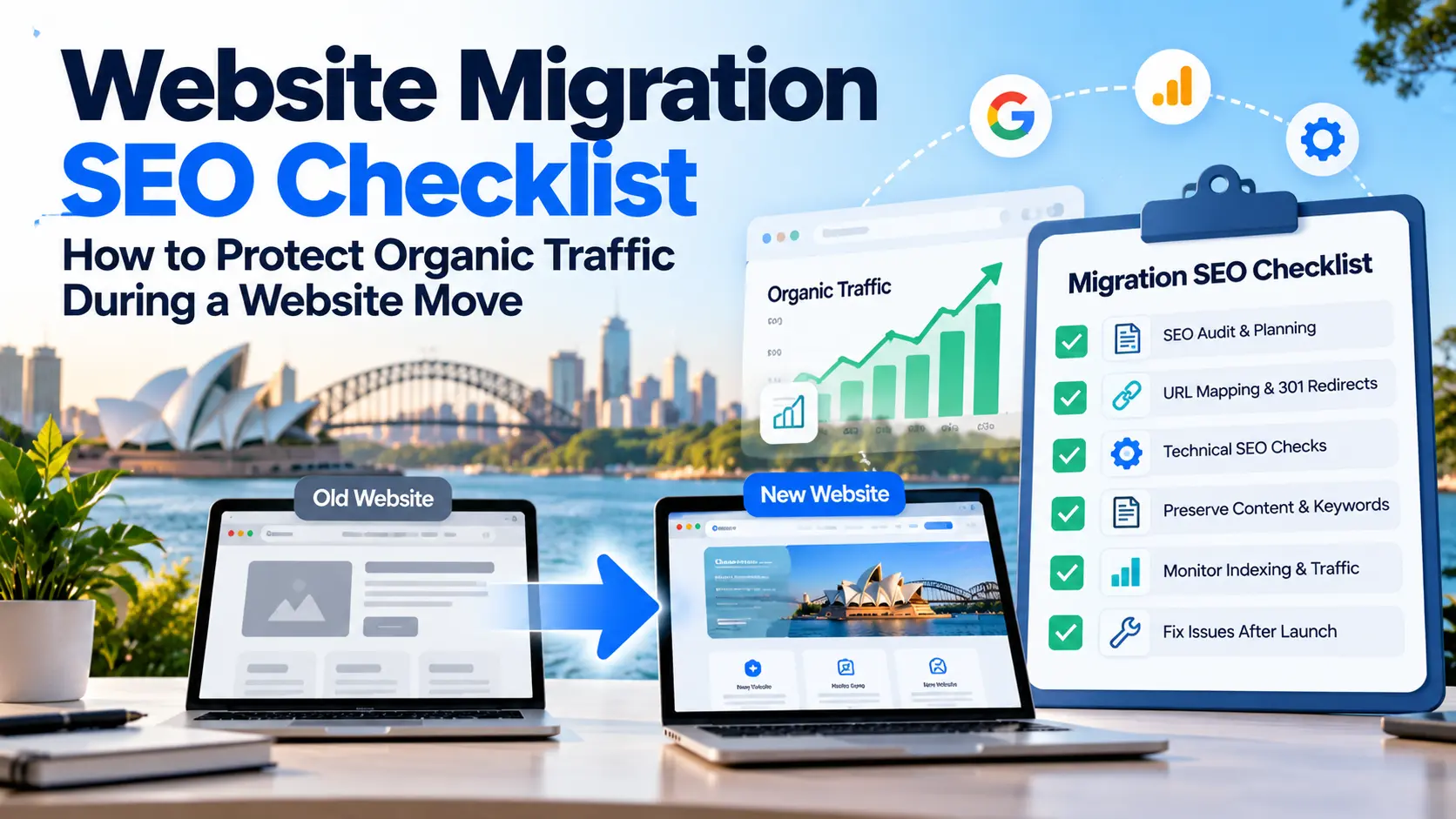
Website Migration SEO Checklist: 6 Essential Steps
1. Conduct a Website Migration SEO Audit
Before making changes, complete a website migration SEO audit to understand how your existing website performs.
Identify the pages that attract organic traffic, rank for important keywords or generate leads. Record their URLs, title tags, meta descriptions, canonical tags, backlinks and current indexing status.
Use tools such as Google Search Console, Google Analytics and Screaming Frog to collect baseline data.
Why it matters: Without a pre-migration audit, you may overlook valuable pages or struggle to identify the cause of a traffic drop after launch.
2. Create a Website Migration Redirect Strategy
A proper website migration redirect strategy helps users and search engines reach the correct pages after URLs change.
Create a spreadsheet mapping every important old URL to its closest relevant new URL. Then implement permanent server-side redirects, usually 301 redirects.
For example:
- Old URL: example.com/seo-audit/
- New URL: example.com/technical-seo-audit/
Redirect the old URL directly to the new page. Avoid redirect chains, redirect loops and sending unrelated pages to the homepage.
If a page has been permanently removed without a suitable replacement, return an appropriate 404 or 410 response rather than creating an irrelevant redirect.
3. Follow a Technical SEO Checklist Before Launch
Technical SEO issues can prevent search engines from accessing or indexing your new website.
Before launch, check that:
- Important pages return the correct HTTP status codes.
- Robots.txt does not block pages you want indexed.
- Temporary noindex directives are removed from production pages.
- Canonical tags point to the correct URLs.
- Internal links use the new URLs.
- The XML sitemap contains the intended canonical URLs.
- Important content, metadata and structured data have been retained where appropriate.
- Forms, navigation and mobile layouts work correctly.
Test the new website in a staging environment before making it live. These checks help identify problems before they affect customers and search visibility.
4. Protect Existing Content and Keyword Rankings
During a website migration, changes to page content can affect how search engines understand your website.
Compare important pages on the old and new websites. Check whether valuable content, headings, title tags, meta descriptions and internal links have been removed or changed unnecessarily.
Make sure each page continues to address its intended search intent.
For example, if a service page previously targeted a specific SEO service, avoid replacing it with generic content that no longer explains that service clearly.
Preserving useful content and relevant page signals helps maintain continuity, although rankings cannot be guaranteed during a migration.
5. Monitor Website Indexing and Organic Traffic After Migration
Your website migration SEO work continues after launch.
Use Google Search Console to check indexing reports, inspect important URLs and submit the updated sitemap. Review Google Analytics to monitor organic sessions, landing-page performance and conversions.
Look for:
- Sudden declines in organic traffic.
- Important pages that are no longer indexed.
- Unexpected 404 errors.
- Incorrect redirects or canonical tags.
- Changes in enquiries and conversion rates.
Some ranking fluctuations are normal while Google processes significant website changes. For medium-sized websites, Google notes that replacing old URLs with new ones in search results can take a few weeks or more.
6. Fix Migration SEO Issues Quickly
If you experience organic traffic loss after website migration, investigate the affected pages instead of making random changes.
Check for missing redirects, blocked pages, lost content, broken internal links and incorrect indexing settings.
Compare performance against your pre-migration data to identify which pages and keywords have been affected.
For domain changes, also review Google’s official site migration guidance for relevant Search Console requirements.
Need Help With Website Migration SEO?
Website migration can involve technical SEO, URL mapping, content preservation and performance tracking. Missing even one important step can make it harder to identify and resolve problems later.
InfyApp Development offers SEO services covering technical SEO, website optimisation, keyword targeting and performance monitoring. If you’re planning a website migration or experiencing a drop in organic traffic, explore InfyApp’s SEO services to find out how professional SEO support can help with your website’s requirements.
An SEO audit before launch can help identify risks early, while post-migration monitoring helps detect issues that need attention.
Frequently Asked Questions
1. What is a website migration SEO checklist?
A website migration SEO checklist is a list of tasks used to protect search visibility when changing a domain, website platform, URL structure or website design. It covers audits, redirects, technical SEO, indexing and performance monitoring.
2. Will website migration affect Google rankings?
Rankings can fluctuate during a migration as search engines process changes. Incorrect redirects, lost content and indexing problems can create additional risks, so careful planning is essential.
3. How long does SEO recovery take after a website migration?
There is no fixed recovery timeline. It depends on the size of the website, the extent of the changes, crawling and indexing, and whether technical issues occur.
3. Should I hire an SEO specialist for website migration?
Professional SEO support can be useful for complex migrations, domain changes or redesigns involving significant URL changes. An SEO specialist can help plan redirects, audit technical settings and monitor performance after launch.
Conclusion
A successful website migration requires more than moving pages to a new platform. It requires a clear website migration SEO strategy that protects important URLs, preserves useful content and monitors organic traffic after launch.
By following this technical SEO checklist, your business can reduce avoidable migration risks and make it easier to identify issues quickly.
If you’re preparing for a website move, start planning your SEO before development begins. Contact InfyApp Development through its SEO services page to explore support for technical SEO, website optimisation and search performance monitoring.
Get Started Today
Let’s build something users love!
- 📞 Call or WhatsApp: +91 7304 5050 68
- 🌐 Visit: https://infyappdevelopment.com/contact-us/
Related Posts
Custom Website vs Template Website: Which Is Better for Your Business in 2026?
When businesses plan to build a new website, one of the most common questions they…
Why Your Website Is Not Getting Leads (And How to Fix It in 2026)
Your website is often the first interaction potential customers have with your business. In competitive…
SEO vs Google Ads: Which Is Better for Your Business in 2026?
Your website is often the first interaction potential customers have with your business. In competitive…

10 Signs Your Business Needs a Website Redesign (2026 Guide)
Your website is often the first interaction potential customers have with your business. In competitive…